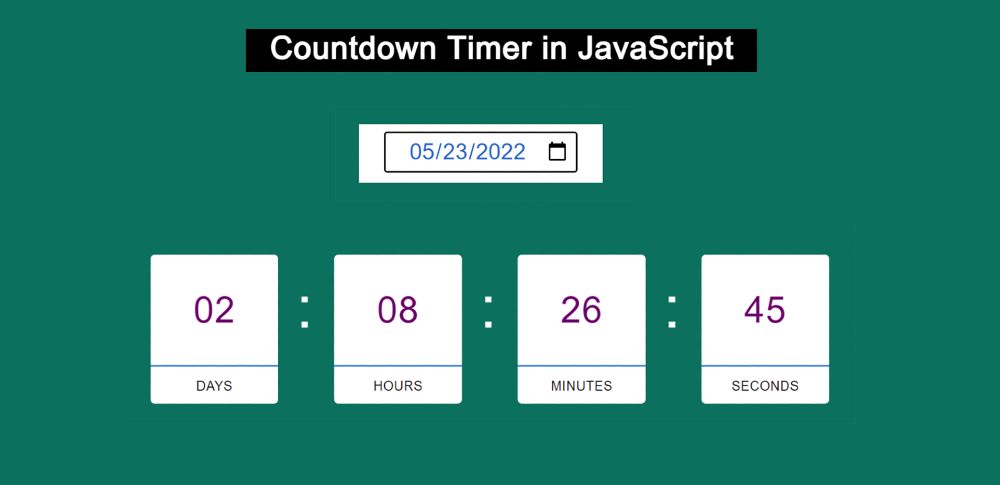
JavaScript countdown timers can be built in a variety of ways. However, the design that I have shown in this tutorial is very advanced. This countdown timer is created by HTML CSS and JavaScript.
The countdown timer javascript works in a very simple way, which means there are two types of time required. The current time and a specific time for which you want to run the countdown.
The timer countdown will have to be added manually. Also, JavaScript's new Date () is used to capture the current time. new Date () is a JavaScript method that will take the current time from the device.
Countdown Timer JavaScript
The simple countdown timer is used in many services or eCommerce websites. Basically, there is no alternative to Countdown Timer with JavaScript for any product or offer on the webpage.
This project will take the current time from your device and store that time in different constants. Then subtract them with your input time and store them in another constant.
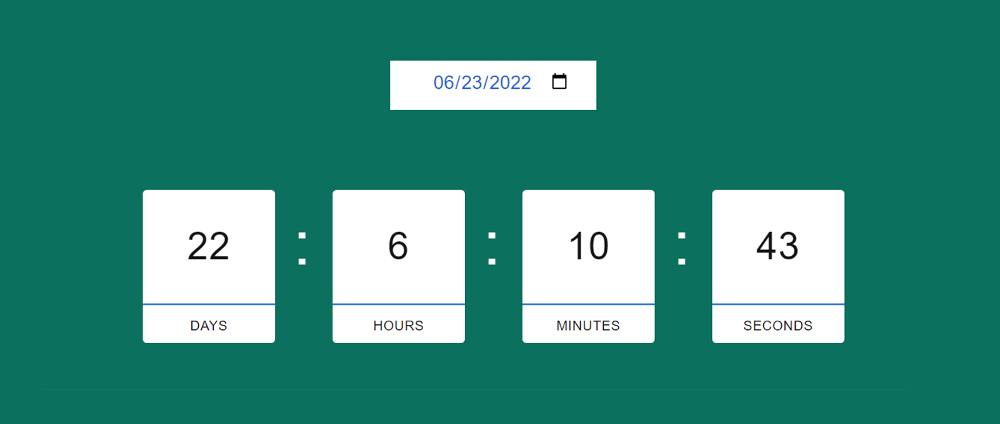
This countdown timer javascript has the option to manually select the date of the countdown. This means that the user will be able to manually input the time here and run the countdown.
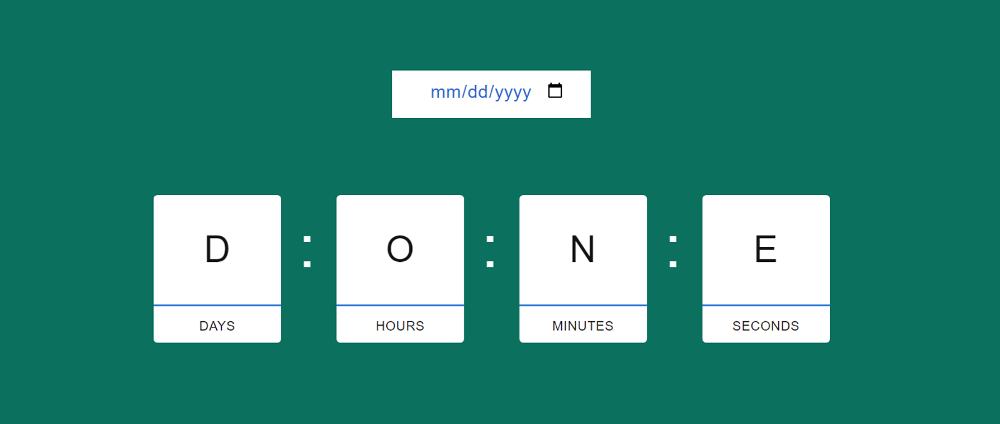
In this case, there is an input box where the user can control this countdown by inputting the time of his choice. Here an input box was first created using HTML's date picker. Where you can manually input the countdown time or select the date.
Then according to that date, this simple countdown timer will start its work. Here you can run day, hour, minute, and second counters.
How To Build a Countdown Timer in JavaScript
Earlier I shared designs of various simple countdown timers. But if you want to make an advanced countdown timer then this design is for you.
The first HTML to add all the information. Then I designed this Countdown Timer using CSS. Lastly, I have used JavaScript to make the javascript counter-timer effective.
Step 1:
Create a countdown time input box
Using the HTML and CSS below, I created a place to input the date. That's why I used the input method. Here type = "date" is used to select and input the date.
I have added all the information of this javascript countdown using the following HTML. Basically, 4 boxes have been made here. The time of day, hour, minute, and second will be seen in those boxes respectively.
<div class="container">
<div class="clock-column">
<p class="clock-day clock-timer"></p>
<p class="clock-label">Days</p>
</div>
<div class="clock-column">
<p class="clock-hours clock-timer"></p>
<p class="clock-label">Hours</p>
</div>
<div class="clock-column">
<p class="clock-minutes clock-timer"></p>
<p class="clock-label">Minutes</p>
</div>
<div class="clock-column">
<p class="clock-seconds clock-timer"></p>
<p class="clock-label">Seconds</p>
</div>
</div>
Step 3:
Design JavaScript Timer using CSS
1. Design the Time View box
I designed those boxes using the CSS below. The boxes used here are min-height: 160px, min-width: 160px and background-color: #fff.
.container {
position: relative;
display: flex;
flex-direction: row;
justify-content: center;
align-items: center;
height: 20rem;
width: 60rem;
background-color: transparent;
border-radius: 3px;
box-shadow: none;
}
.clock-column {
margin-right: 7rem;
text-align: center;
position: relative;
background-color: #fff;
min-height: 160px;
min-width: 160px;
border-radius: 5px;
}
2. Add a colon between the two boxes
Now a colon symbol has been added between each of the two boxes. This colon symbol has been added using CSS's ":: after". I also used font-size: 75px to increase the size of the symbol.
.clock-column::after {
content: ":";
display: block;
height: 0.25rem;
width: 0.25rem;
font-size: 75px;
font-weight: 200;
color: #feffff;
position: absolute;
top: 60px;
right: -25px;
}
.clock-column:last-child::after {
display: none;
}
3. Design the Countdown Timer information
Now you have to use the following CSS to design the Countdown Timer information in the boxes. Only text can be seen here but we cannot see the information related to time. The reason is to use JavaScript to view the countdown time.
.clock-label {
padding-top: 20px;
text-transform: uppercase;
color: #131313;
font-size: 16px;
text-align: center;
border-top: 2px solid rgba(6, 121, 215, 0.989);
}
.clock-timer {
color: #131313;
font-size: 46px;
line-height: 1;
}
Step 4:
JavaScript of Simple Countdown Timer
I have added all my basic information above to make this javascript countdown. But has not yet been implemented.
As I said before, the current time will be taken from your device first using the new date () here. Then the value of your input time will be subtracted from the current time.
That time will then be expressed in terms of days, hours, minutes, and seconds. In the end, using innerHTML, they are shown on the web page. Then setInterval is used to update this time every second.
// load event listeners
loadEventListeners();
function loadEventListeners() {
//DOMContentLoaded event fires when the initial HTML document has been completely loaded
Levelling up secretary confirms government will change levelling up bill after number of Tory MPs tabled rebel amendment Starmer is now taking questions. Q: [Beth Rigby from Sky] When people are struggling with the cost of living, you are talking about constitutional issues. This might look to people as if you are out of touch. Are you talking to Westminster about stuff that won’t happen. What in this will improve people’s lives from day one of a Labour government? When you come to the next election, it may be that the Scottish National party will have a one-line manifesto and want a one-issue general election. But we have done a huge amount of research on Scottish public opinion and people want a better health service immediately, people want living standards improved immediately, people want jobs for young people immediately, people want better housing immediately and people of course want change in the way that we are suggesting immediately. People up and down this country are cryin...
Kotak Mahindra Bank Recruitment 2022 Released for Graduate Candidates And Apply Online Kotak Mahindra Bank Recruitment 2022 Released for Fresher & Graduate Candidates. The Kotak Mahindra Bank has released latest notification for the post of Asst Acquisition Manager on the Official Website. Any Interested candidates can apply to Kotak Mahindra bank for the post of Asst Acquisition Manager. Kotak Mahindra Bank Recruitment 2022 Kotak Mahindra Bank Recruitment Details 2022 Organisation - Kotak Mahindra Bank Post Name - Asst Acquisition Manager Apply Starting Date - 16.05.2022 Last Date to Apply - 30.06.2022 Mode of Apply - Only Online Status - Job Notification Released Job Role For Kotak Mahindra Bank Recruitment 2022: Acquisition of a new client (NTB) through external personal efforts for the bank's current account, savings account products. Getting customers from individuals, small businesses, trusts, associations, societies, corporates. Revenue generation, customer acquisition, ...



Comments
Post a Comment
Ask me anything here...